
Task GPS1.0.0 - Google Play
You'll be able to see results in few seconds.
Publisher Description
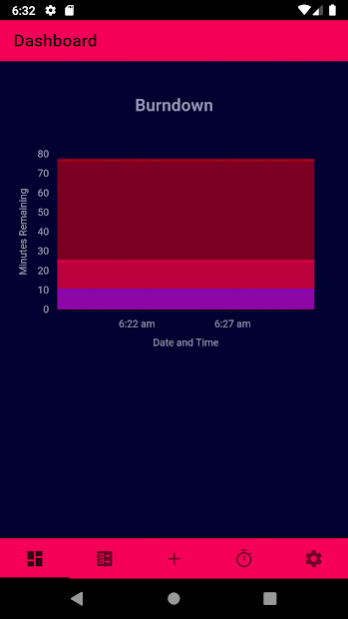
Task GPS is a task management app which uses state-of-the-art technologies to provide a simplistic and data-driven experience for users. The main difficulty in completing tasks is our expertise at procrastination. While procrastination can drive us to complete tasks quickly near the deadline, procrastination is the main reason for stress which leads to lack of sleep, weight gain, depression, and more. The goal of this app is to reduce user procrastination by providing a service to assist procrastinating users rather than being a pager that prompts users to not procrastinate.
In contrast to other task management apps, Task GPS puts an emphasis on the importance of time. Time spent working, time spent relaxing, and time needed to complete tasks is all considered to provide the most useful suggestions for how to use your time.
Using Task GPS is simple.
- Simply create tasks and events or import them from other services such as Google Calendar. The app includes support for recurring tasks and events and easy schedule customization.
- Receive data-driven suggestions on how best to complete the tasks with notifications. Suggestions use state-of-the-art machine learning models to predict how long tasks will take and the best time to complete them.
- Record periods of time that you are working on tasks with the built-in timer. The timer supports scientifically-supported methods of improving the efficiency of your work.
- See the progress you’ve made on your tasks in informative visualizations displaying productivity, workload, and scheduling over time.
Use one account. Use many devices. Task GPS synchronizes your data, so you never have to re-enter information. As you use the app, predictions and suggestions get better through our machine learning improvement service.
Have a question or want to provide feedback? Please send an e-mail to us at sense2safeguard@gmail.com.
About Task GPS
The company that develops Task GPS is S2S. The latest version released by its developer is 1.0.0.
To install Task GPS on your Android device, just click the green Continue To App button above to start the installation process. The app is listed on our website since 2019-06-15 and was downloaded 0 times. We have already checked if the download link is safe, however for your own protection we recommend that you scan the downloaded app with your antivirus. Your antivirus may detect the Task GPS as malware as malware if the download link to com.s2s.taskgps is broken.
How to install Task GPS on your Android device:
- Click on the Continue To App button on our website. This will redirect you to Google Play.
- Once the Task GPS is shown in the Google Play listing of your Android device, you can start its download and installation. Tap on the Install button located below the search bar and to the right of the app icon.
- A pop-up window with the permissions required by Task GPS will be shown. Click on Accept to continue the process.
- Task GPS will be downloaded onto your device, displaying a progress. Once the download completes, the installation will start and you'll get a notification after the installation is finished.
Program Details
System requirements
Download information
Pricing
Version History
version 1.0.0
posted on 2019-06-15
- Create an account to store synchronized data on the cloud.
- Add tasks and events via the add tab which are stored and displayed to the user via the manage tab.
- Use the timer on the timer tab to track progress on incomplete tasks.
- View the burndown charts of all tasks or individual tasks on the dashboard displaying the amount of remaining time.
- There are three themes in the settings menu to choose from sunset (default), light, and dark.
Disclaimer
Official Google Play Link
We do not host Task GPS on our servers. We did not scan it for viruses, adware, spyware or other type of malware. This app is hosted by Google and passed their terms and conditions to be listed there. We recommend caution when installing it.
The Google Play link for Task GPS is provided to you by apps112.com without any warranties, representations or guarantees of any kind, so access it at your own risk.
If you have questions regarding this particular app contact the publisher directly. For questions about the functionalities of apps112.com contact us.
